Microsoft Store
Download from theMicrosoft StoreVersion 1.1.2 · Microsoft Store
- Checked and signed by Microsoft
- Installs without a Windows warning
- Updates automatically via the Store
The GOLF★STARS launcher for Windows 10 and 11: it keeps everything up to date, manages your account and purchase and starts the calculator right on top of the game, as an overlay without background or as a compact window.
Version 1.1.2 · Microsoft Store
Version 1.1.2 · 293 MB · Windows 10 and 11 (64 bit)
You need the full version to calculate. Sign in to the launcher with the account on which the full version or your license key is activated.
Independently checked
The installer was checked by 65 virus scanners, none found anything. The result is public at the independent service VirusTotal. See it for yourself before you download.
Direct download
When you start the installer for the first time, Windows shows a notice once. This is normal and done in two clicks.
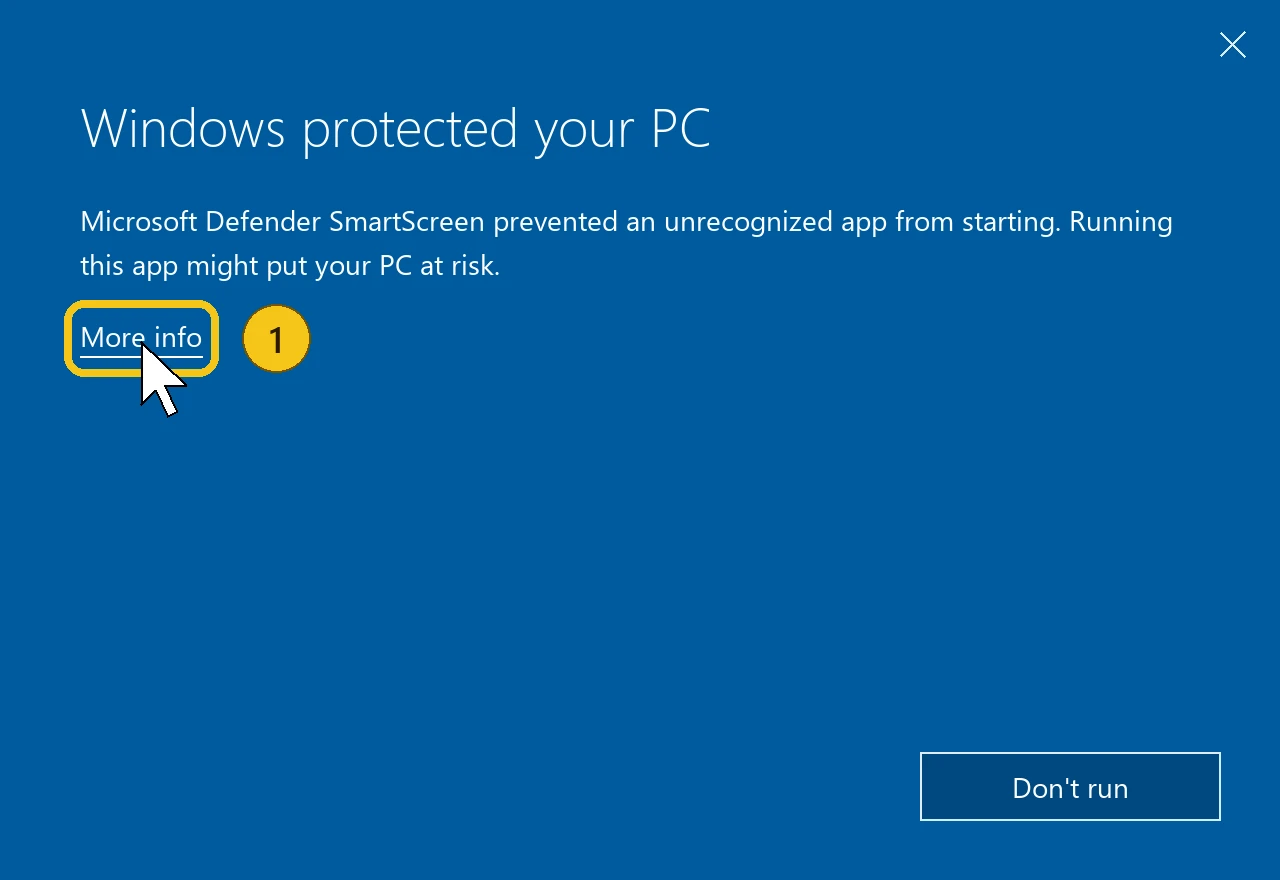 Click “More info”
The text below the message can be clicked. Then the file name and a new button appear.
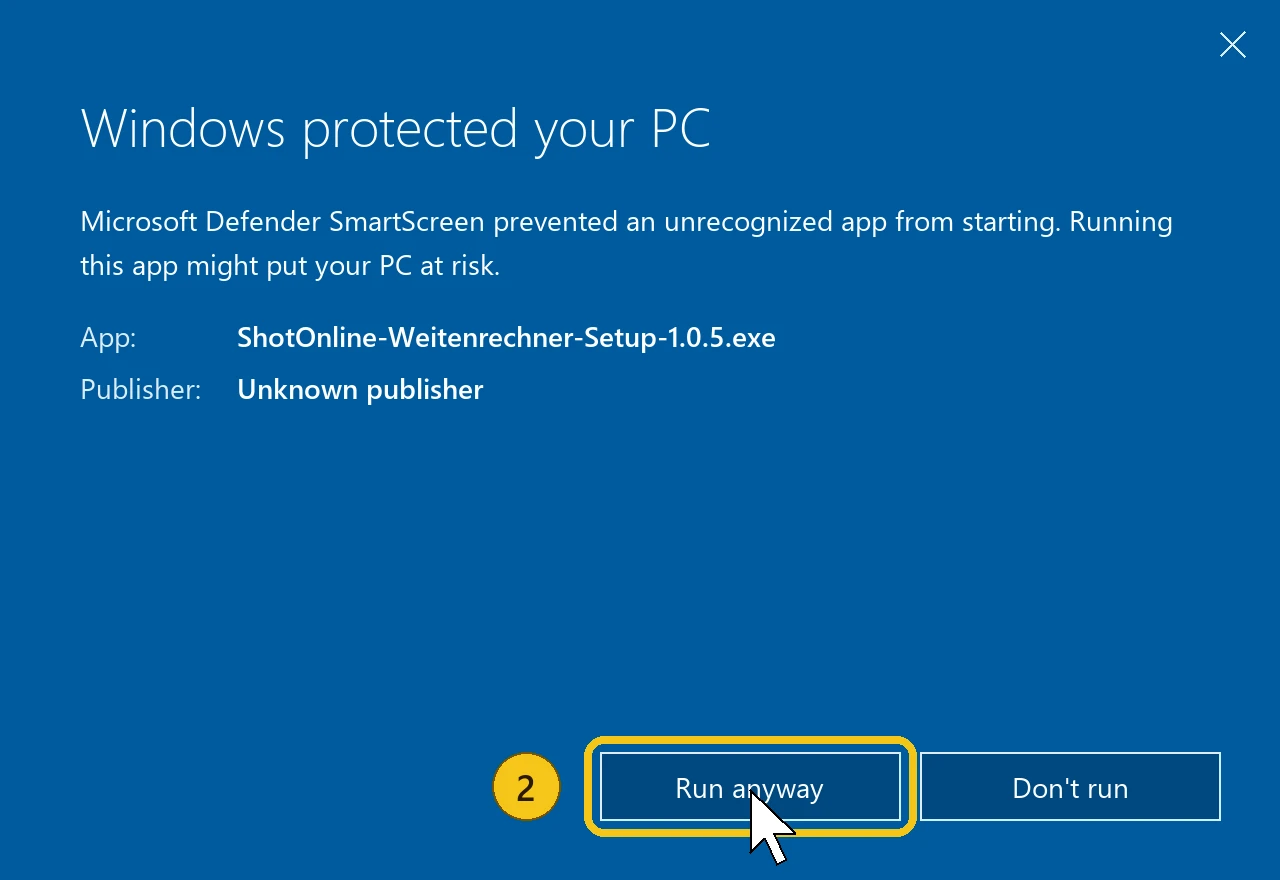 Click “Run anyway”
Quick check: the file is called “ShotOnline-Weitenrechner-Setup-…exe”. Then our installer starts.

The installer sets everything up just for your user account. Afterwards you find the launcher in the Start menu.
Windows shows “Windows protected your PC” for software it has not seen often yet and that does not carry a paid publisher certificate. This affects a lot of software from small independent developers like our guild. It is not a virus warning.
The installer sets up the calculator for your user account only, needs no administrator rights, changes no system settings and contains no ads or extra software. The installer explains this again step by step.
Checksum (SHA-256) to verify:9822cc42a7e98e67830c2d2df5a7d3b0a768efd5a67166d6b279f63c331b7828
View report → · checked on Oct 19, 2026
Updates arrive automatically: the launcher downloads new versions in the background and installs them on the next start.

As a member of our guild G0LFSTARS you use the distance calculator for free. The launcher’s start window shows you how to join.
Only for the German ShotOnline server
GOLF★STARS in numbers